Try the Best Video Downloader Now!
100% Secure. No virus.
100% Secure. No virus.
Share this article:


There are different wonderful videos we can watch on YouTube, from music videos, vlogs, informative videos, and some are restricted one from a certain age bracket. That means, even though you want to watch a certain video but your age doesn’t meet the requirements, then it will definitely limit you from downloading it. In line with that, we are here to help you do the process with ease with the help of the great tools. Let us see the process of downloading age restricted YouTube videos in this blog post. Read this blog article to learn everything you need and guide you in doing all the process without complications.
We shall start this guide by introducing you to StreamByte for Video, the best YouTube video downloader including the age restricted videos you want to watch. This tool is an overall download platform for YouTube, HBO, Prime, Disney, and more. That means, you can really expect incredible features from it. One of its flexes is its capabilities to download faster compared with other tools here. Another good thing is that you can use this tool whether you are a Mac or Windows user. Let us now see a simple process in doing it as we encounter all of these amazing things it can offer for users like you.
Step 1. Get the StreamByte for Video as you go with their official website for free. Please install it immediately on your PC or MacBook.
100% Secure. No virus.
100% Secure. No virus.
Step 2. From there, please open the tool and access its main interface. Among the opinions, please click YouTube.
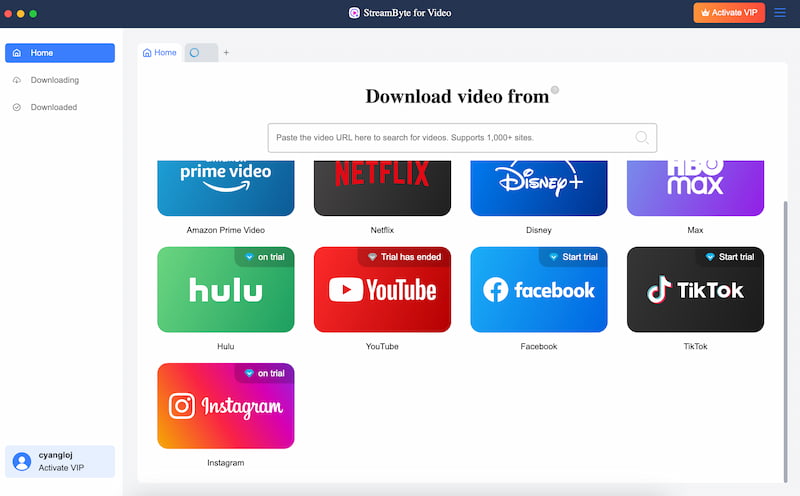
Step 3. The tool will now lead you to the interface of YouTube. That means, you may now search the age restricted video you want to download. Play it and click the Download icon above. Please wait for a while and you will now have it.
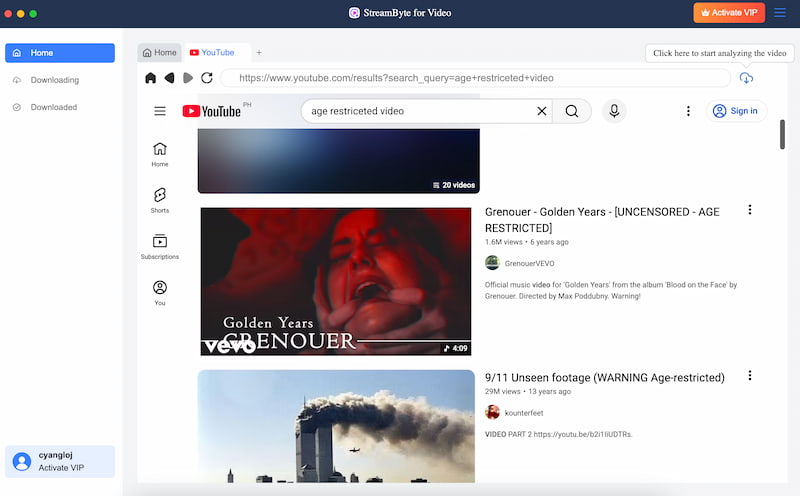
As you can see, the process of downloading any videos from YouTube, even if it is an age restricted one, became easy as long as we have StreamByte for Video. Get it now for free and use it with ease.
After the procedure of doing the process with a software, let us now give you another option which is downloading age restricted YouTube video online. This process is made possible when we use Y2Mate. This is a straightforward online tool that allows you to get your video with ease without even downloading a software on your computer.
As an overview, Y2Mate is an open-source YouTube client that doesn't require Google services or account sign-ins. Its ability to browse and download age-restricted information without logging in is one of its biggest benefits, making it perfect for users who value their privacy. However, this tool might not offer extra features, but it is a great option for one time usage. See how you do it below:
Step 1. Access the official website of Y2Mate on your browser.
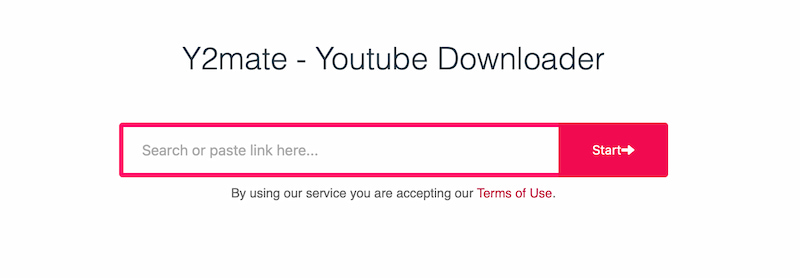
Step 2. After that open a new tab to access YouTube, as you search the video you would like to download. Play it and copy the URL of it.
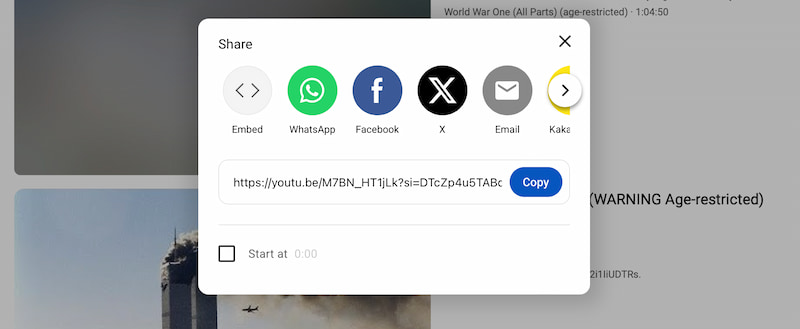
Step 3. Go back with the Y2Mate tab and in the URL Bar, paste the URL of the video you want to download. Then click the Start button and click the Download button under the format you need.
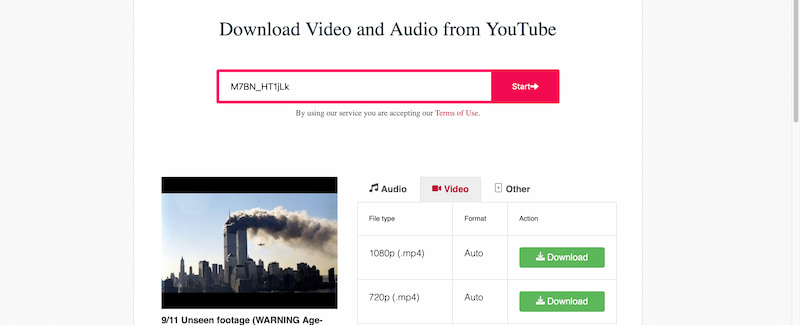
Please wait for a few minutes and your video will be ready by now. See the video on the download tab on your browser and save it with your gallery or files.
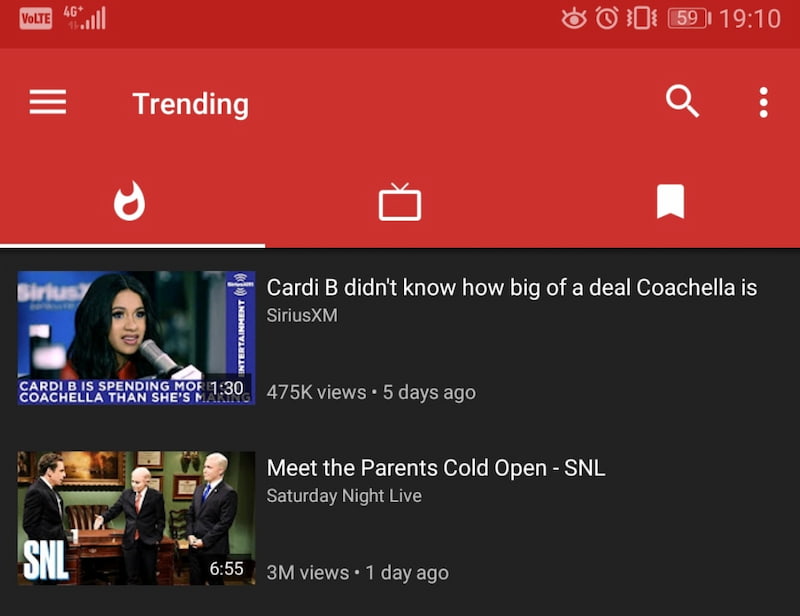
We heard you if you do not have a computer to use in doing the process. Because we still have options for you to make the process possible with your Android devices. Good thing we have NewPipe. This is an incredible application that also allows users to get a video from YouTube even if it is an age restricted content. That is possible as long as you download the app from Google Play Store. After that, see below how to use this applications:
Step 1. First, download and install NewPipe on Google Play Store.
Step 2. Open NewPipe and search for the age restricted YouTube video you want.
Step 3. Next, please tap the video, click Download, then choose the format and quality Wait for the download to finish and find the video in your device storage.
Q: What are YouTube videos that are age-restricted?
A: YouTube videos that are age-restricted are those that the platform has designated as appropriate only for users who are older than a specific age, typically 18 or older. These videos might deal with delicate subjects, strong language, or mature themes. They cannot be immediately viewed or downloaded by users who are not logged in or who do not fit the age restriction.
Q: Can I still download age-restricted videos even if I don't have a YouTube account?
A: Indeed. You may download age-restricted videos without logging in with some programs, like professional YouTube downloaders and apps like NewPipe. These solutions are perfect for users who would rather not log in or create an account because they avoid the age verification process.
Q: Why are so many people unable to download age-restricted videos from the internet?
A: Standard YouTube access is required for the majority of online tools. Many web-based downloaders are unable to get the video data because age-restricted videos require account authentication, which results in errors or unsuccessful downloads.
Q: Are age-restricted YouTube videos safe to download?
The tool you use determines your level of safety. Open-source programs like NewPipe and desktop software from official websites are usually secure. Caution is advised, though, as many internet downloaders have pop-ups, advertisements, or redirect URLs.
Q: Is it possible to download HD or 4K age-restricted videos?
A: Yes, but only with specific equipment. While most internet tools are restricted to lower resolutions, professional software such as StreamByte for Video is made to handle high-quality Youtube 4K downloads.
With the correct tools, downloading age-restricted YouTube videos does not have to be difficult. Each approach has its own benefits, whether you want a mobile-friendly software like NewPipe, a speedy web solution like Y2Mate, or a professional desktop downloader like StreamByte for Video. Selecting a solution that fits your device, quality requirements, and frequency of use is crucial. You can easily and conveniently view your favorite restricted videos offline by following the instructions provided in this article.
StreamByte for Video
Best video downloader to save videos from various streaming media effortlessly.
Charlotte Taylor is a content creator specializing in evaluating and analyzing various video download tools. Concerned about the technological trends of mainstream platforms such as YouTube, HBO, and Hulu, she conducts in-depth research on the functionality, compatibility, and usage limitations of video downloaders.
With rich experience, she has written a number of practical tutorials and reviews, helping users choose the most suitable video storage solution. In content creation, she tends to be user-friendly and practical-oriented, and she does well in explaining technical details in a simple way. Whether you are an ordinary user or a beginner, you can receive reliable guidance from her posts.

Expert who supports offline videos from streaming media.
SubscribeCopyright © 2026 StreamByte. All rights reserved.



Subscribe to get StreamByte upgrades, guides, discounts and more in the first moment.
Invalid Email Address.