Try the Best Video Downloader Now!
100% Secure. No virus.
100% Secure. No virus.
Share this article:


Imagine settling in for a cozy weekend with popcorn and your favorite HBO Max series, only to realize you will be offline later due to reasons like power interruptions or maintenance with your internet connection. Do not worry, because downloading movies and shows can save the day.
In line with that, this guide will walk you through everything you need to know about enjoying HBO Max content without an internet connection. First, we’ll explore whether it’s possible to download HBO Max movies on a laptop. Then, we’ll show step-by-step instructions for other devices like iPhones and Android devices. Excited to know about these? Let us start reading now.
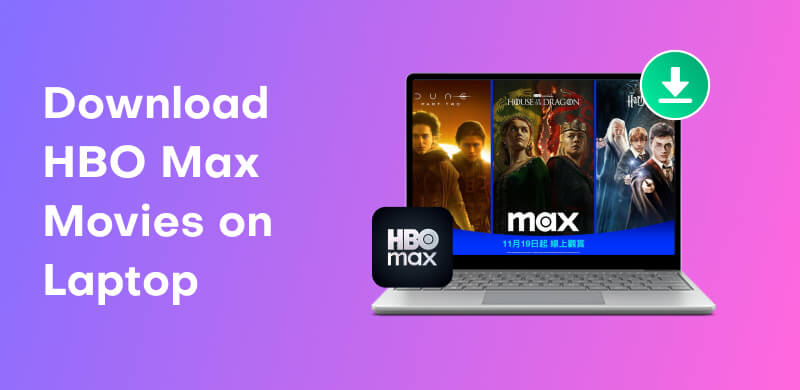
Yes, you can download HBO Max movies on a laptop, but there’s a catch. Unlike mobile devices, HBO Max doesn’t natively allow downloads on laptops, so you’ll need a little help from third-party tools. These tools let you save your favorite movies and shows directly to your computer, so you can watch them offline anytime, whether you’re on a long flight, commuting, or just relaxing without internet interruptions. In this section, we’ll explore the best tools and methods to make this possible, explain how they work, and give tips for safe and smooth downloads. With the right setup, your laptop can become a portable HBO Max library in no time.
Millions of users trust StreamByte for Video because of its effective and efficient way of downloading movies or series from the best entertainment sites such as Disney+, Amazon, HBO, and more. More than anything else, the quality it offers is superb. You can get your video as clearer as 4K and 8K. No wonder why there are so many users that continue to use it. In line with that, let us now see how to make the downloading of HBO movies possible with the use of StreamBytes. Please see the process below:
After we get to know StreamByte for Video, let us now explore its simplicity when it comes with the way we can use it. Here is a quick guide that you can follow whenever you want a video to watch on HBO Max. Follow them so that you will not experience problems.
Step 1. Get StreamByte software on your laptop now for free. Immediately install it and open it to see its main interface.
100% Secure. No virus.
100% Secure. No virus.
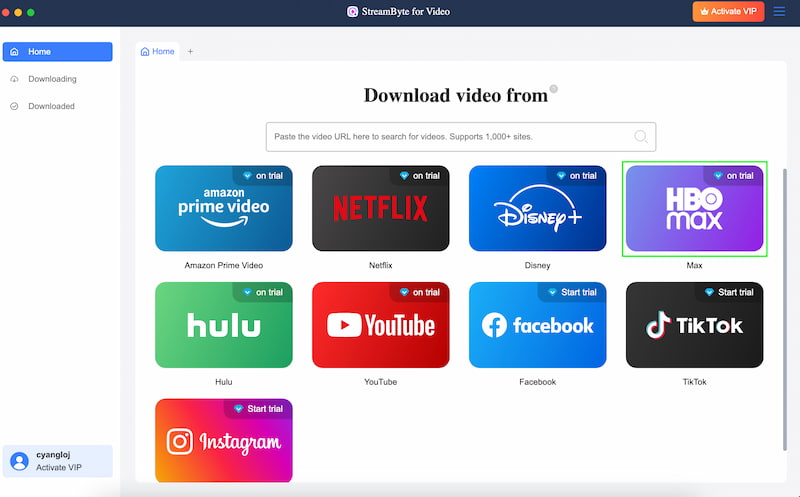
Step 2. On the main interface of the tool, access HBO among the platforms on the screen.
Step 3. You will now see the interface of your HBO, with that search the movie or series you would like to download. Click the Plus icon, then on the right corner please click the Download button.
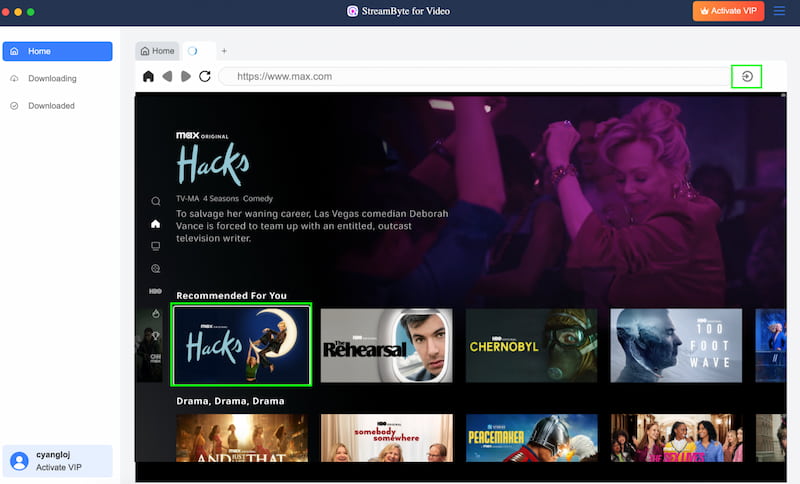
There you have it, the process of downloading video on HBO Max became very easy because StreamByte is here to support us. We can see that the tool is very easy to use and most importantly it is effective. So what are you waiting for, please use it now and download it now for free.
We have no other option because the official download feature is exclusive to the HBO Max app. Look it up in the App Store or Google Play. You must have at least a Standard subscription plan, by the way. There are no downloads available with the HBO Max Ads Basic package. However, have you never downloaded movies from HBO Max using the HBO Max app? Here is a detailed guide.
Step 1. Use a Standard or Ultimate Ad-Free subscription to log in after installing the HBO Max app on your device. Access to all downloaded films and television series is thus guaranteed. Search for the movie you want.

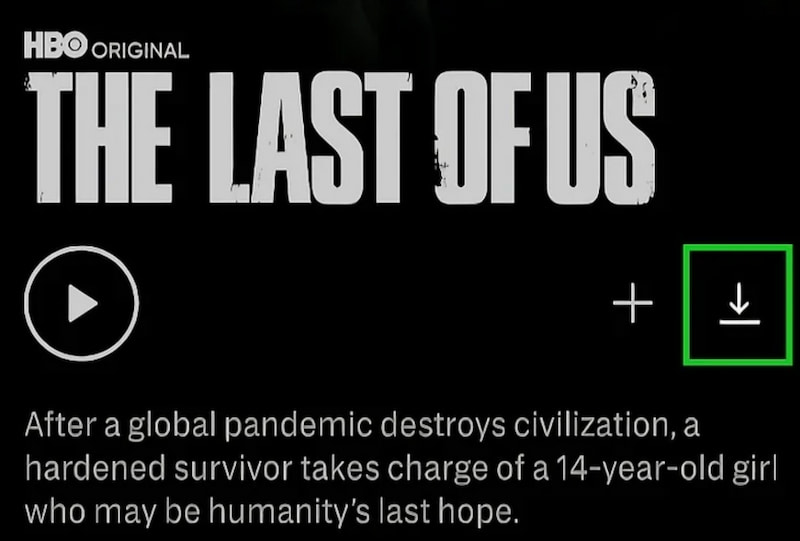
Step 2. Click the Download icon after opening the movie or show page. You can save time and work by downloading complete seasons of TV shows at once.
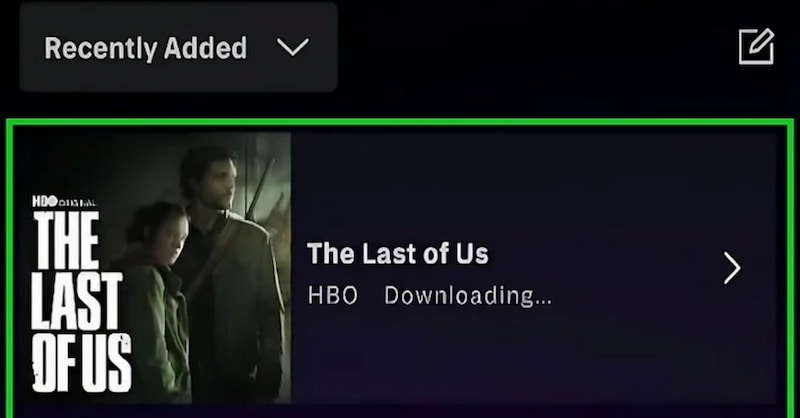
Step 3. Locate your stored files by going to the Downloads List section. Perfect for travel or places without internet, watch offline at any time within the validity period.
Notes to Remember
Q: Can I download HBO Max movies directly on my laptop without any tools?
A: No. Currently, HBO Max only allows direct downloads on mobile devices. To save movies on a laptop, you will need a third-party HBO Max downloader. One of the best is StreamByte, which can give you a straightforward and effective process.
Q: Can I watch downloaded movies offline forever?
A: No. Downloads have a validity period. Movies may expire 48 hours after you start watching or 30 days after download, depending on the title. This is only applicable with GBO Max accounts that purchased a subscription. Downloading them illegally is a different matter.
Q: Do I need a paid subscription to download content?
A: Yes. Only Standard or Ultimate Ad-Free subscription plans allow downloads. The Basic with Ads plan does not support offline viewing. Thus, paying for a subscription in HBO Max is the legal way to do it.
Q: Can I download entire TV seasons at once?
A: Yes. On mobile apps, you can download full seasons of supported shows, saving time and making offline binge-watching easier. Remember that this is only allowed with mobile devices. Thus, HBO Max in our laptop is unfortunate for it.
Q: Can I transfer downloaded HBO Max movies to another device?
A: No. Downloads are usually locked to the device and app used for offline viewing. You cannot move them to laptops or external drives due to digital rights protection.
Downloading HBO Max movies on a laptop is entirely possible with the help of third-party tools, while mobile devices provide an official download feature. Whether you’re traveling, experiencing internet issues, or just want offline access, following the right steps ensures your favorite movies and shows are always available. Remember to use trusted tools, respect content limits, and check your subscription plan. With these tips, your laptop can become a portable entertainment hub, letting you enjoy HBO Max anytime, anywhere, without interruptions.
StreamByte for Video
Best video downloader to save videos from various streaming media effortlessly.
Charlotte Taylor is a content creator specializing in evaluating and analyzing various video download tools. Concerned about the technological trends of mainstream platforms such as YouTube, HBO, and Hulu, she conducts in-depth research on the functionality, compatibility, and usage limitations of video downloaders.
With rich experience, she has written a number of practical tutorials and reviews, helping users choose the most suitable video storage solution. In content creation, she tends to be user-friendly and practical-oriented, and she does well in explaining technical details in a simple way. Whether you are an ordinary user or a beginner, you can receive reliable guidance from her posts.

Expert who supports offline videos from streaming media.
SubscribeCopyright © 2026 StreamByte. All rights reserved.



Subscribe to get StreamByte upgrades, guides, discounts and more in the first moment.
Invalid Email Address.